
Start with sound and the recording environment
A room’s appearance tells you little about how a conversation will sound. Ask how the studio handles unwanted noise and how voices are captured. Find out what microphone setup suits your guest count and format. An interview, a solo episode and a roundtable can need different planning. A soundproof room is useful context, but the setup and the way people speak still matter during the recording.
Amplify has soundproof rooms and Shure MV7 microphones. On a tour, discuss how the microphone will be positioned and what the team needs to know about the episode. Tell them if your guest will demonstrate an object, read scripted passages or move around the set. Those details belong in the brief before the session, not as surprises after the recording begins. Ask about the setup rather than assuming one microphone arrangement fits every idea.
Listen for the conversation you want
When reviewing a studio’s examples, focus on intelligibility and the relationship between voices. Can you follow the speaker without strain? Does the production distract from the subject? These are useful observations, not a substitute for agreeing on your own scope. An example may involve a different room, edit or production brief. Ask which parts are relevant to the session you are considering.
Look at the set through the subject’s needs
A video podcast set should support the story. Consider whether the guest needs a relaxed conversation, a direct expert explanation or a clear demonstration. Furniture, the background and lighting become part of the frame. A dramatic setting is not automatically right for every episode. Bring references and explain what you like about them so the team can discuss an intentional look rather than recreate an image without context.
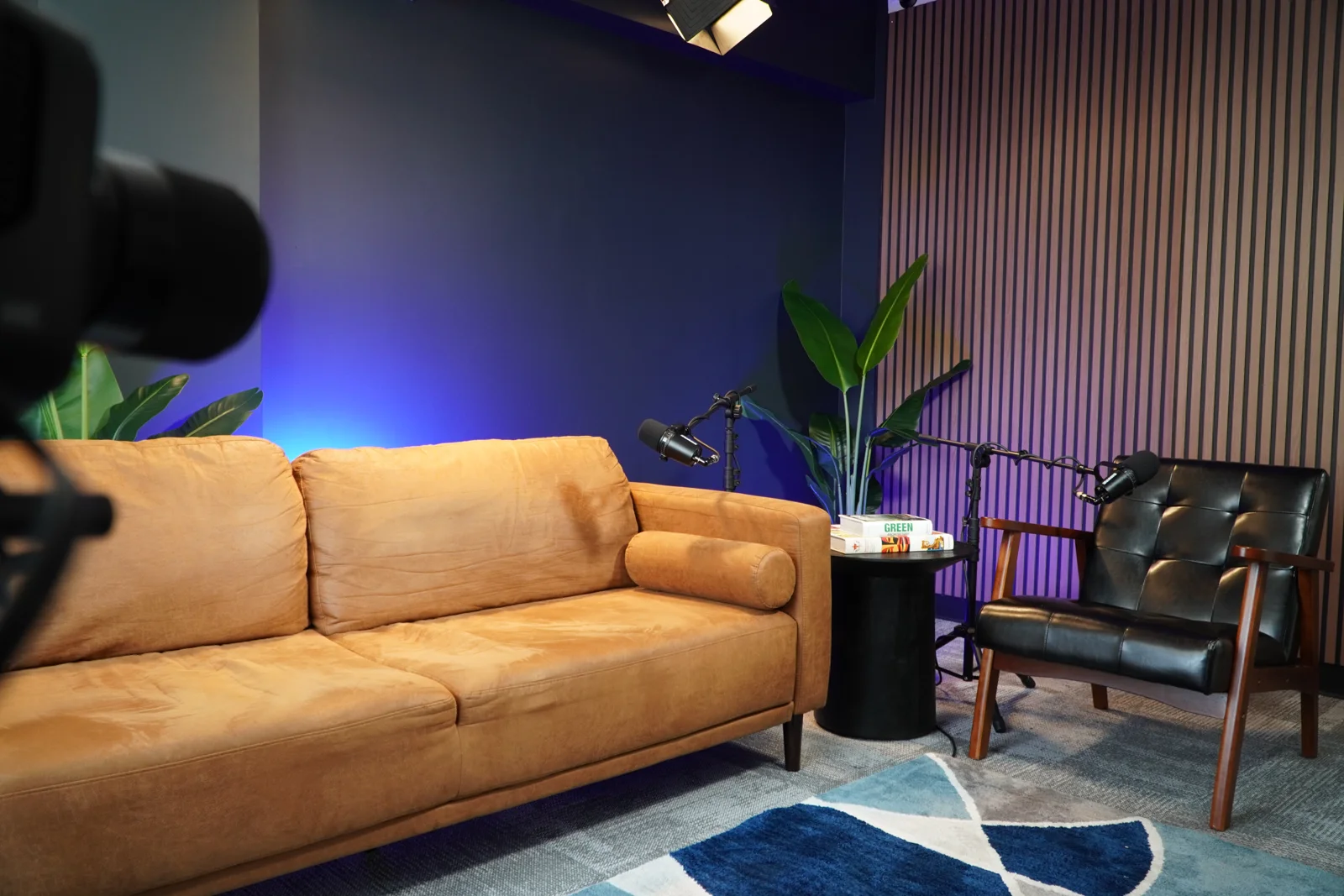
Amplify has a dark cinematic main set with multiple furniture options and six vignette sets. Blackmagic Studio Pro cameras and video panel lighting support video production. Book a tour to inspect the space, then coordinate your preferred setup before recording. Do not infer room capacity or unlimited set changes from a gallery. Confirm guest count, coverage and the actual plan with the studio.
Ask who handles which production tasks
Equipment is only one part of a studio session. Ask who will handle the recording setup and what support is covered by your booking. Share your format, guest count and output requirements early. If you need live switching or a livestream, describe that separately from an ordinary recorded interview. A studio should be able to discuss the brief clearly without you having to turn every task into a technical specification.
Amplify helps with studio setup and session planning, with production built around the agreed work. That is not a claim that every booking includes an engineer for every possible task or a complete management package. Ask about responsibilities directly. The host still needs to prepare the conversation, guests still need accurate information and publishing responsibilities need their own agreement. Clear boundaries make a studio easier to work with.
Separate the recording from the finished episode
Find out what you will receive after the session. Source material, an edited episode and a set of short clips are different deliverables. Ask whether editing and mastering are separate and what information is needed for the handoff. If your project uses an intro, graphics or licensed music, discuss those files in advance. Avoid relying on a broad phrase like “full service” without defining the work.
Compare prices using the same brief
At Amplify, audio-only recording starts at $75/hr and video podcast sessions start at $250/hr. Audio-only editing and mastering are extra. Short-form clips, a third camera, livestreaming and other listed add-ons need a separate scope conversation. These confirmed starting rates help you plan, but they are not a final quote for every recording or a basis for inventing package totals.
Give each studio the same essentials when comparing options: the format, the participant count, the recording time you are considering and the final outputs. Ask what changes the quote and which tasks you handle yourself. A low hourly rate may cover a different kind of booking; a higher number may still exclude the deliverable you care about. Compare the production plan, not just a headline price.
Make arrival part of the choice
A studio near you still needs a practical guest plan. Check the address from each person’s starting point and confirm current directions. Ask about parking, building access and check-in without assuming any of them are free or automatic. For Amplify, the address is 3030 N. Central Ave Suite 816, Phoenix, AZ 85012 in Midtown Phoenix. Location guides offer broad travel estimates, not a live prediction of the trip on your session day.
Start with the studio page, the service that fits your format and the pricing page. Then book a tour if seeing the space would help you decide. The right Phoenix podcast studio is the one whose room, support and agreed deliverables match the conversation you want to capture. Choose based on verified details and a clear brief, not invented ratings or a guarantee about what happens after you publish.